【高级应用】Day22:云原生AI架构设计–K8s与弹性伸缩实战
章节导语
单机部署的AI模型,QPS上不去、容灾做不到、弹性扩容更是天方夜谭。当业务从1万用户增长到100万时,你怎么办?
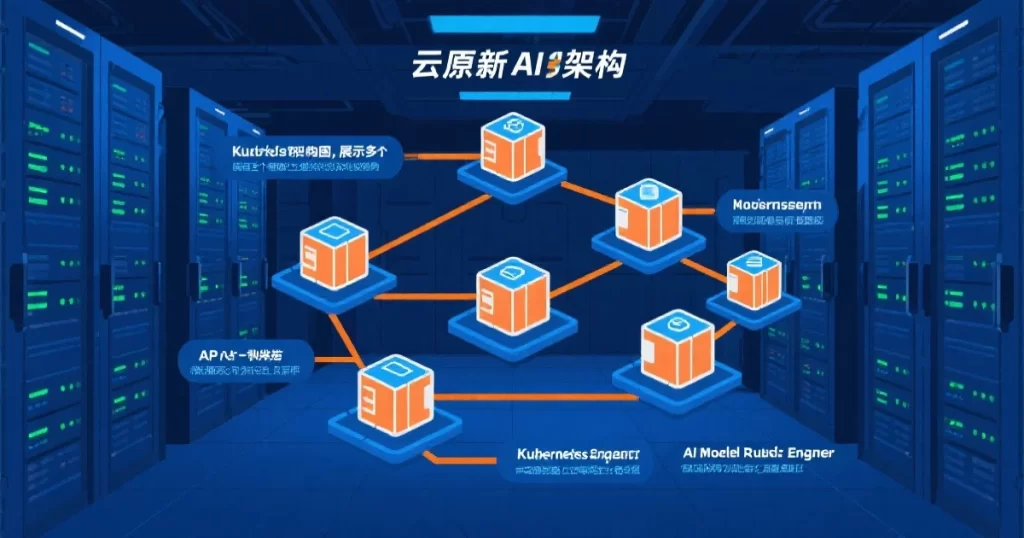
云原生是AI系统走向生产级的必由之路。容器化让AI模型可以快速部署和扩缩容,Kubernetes让AI服务可以弹性伸缩,服务网格让AI系统可以精细化管理。
本文系统讲解云原生AI架构设计,包括容器化部署、Kubernetes编排、服务网格、弹性伸缩、CI/CD流水线等实战内容。
一、前置说明
1.1 学习路径
| 阶段 | 内容 |
|---|---|
| 前置 | 私有化部署(Day15)、监控运维(Day21) |
| 本篇 | 云原生AI架构设计 |
1.2 读者需要的基础
- Linux基础:命令行操作、进程管理
- Docker基础:镜像构建、容器运行
- Python基础:API开发、模型调用
1.3 学习目标
学完本文,你将能够:
- 理解云原生架构的核心概念
- 掌握AI模型的容器化部署
- 使用Kubernetes管理AI workloads
- 设计弹性可扩展的AI架构
- 搭建AI系统的CI/CD流水线
二、为什么需要云原生
2.1 单机部署的瓶颈
单机部署AI模型的局限:
扩展性差:单机CPU/GPU资源有限,无法应对流量增长。
容灾能力弱:单机故障意味着服务中断,没有高可用机制。
资源利用率低:白天流量高、晚上流量低,但机器24小时运行,资源浪费。
运维困难:多台机器要手动部署、手动扩缩容,效率低下。
2.2 云原生的优势
云原生架构解决这些问题:
弹性伸缩:根据流量自动扩缩容,资源利用率最大化。
高可用:多副本部署,单机故障不影响服务。
声明式部署:描述期望状态,系统自动达成,运维简单。
快速迭代:容器镜像快速部署,CI/CD流水线自动化。
2.3 云原生技术栈
| 层次 | 技术 | 作用 |
|---|---|---|
| 容器 | Docker | 应用打包隔离 |
| 编排 | Kubernetes | 集群管理调度 |
| 网络 | Istio | 服务网格流量管理 |
| 存储 | CSI | 持久化存储 |
| 监控 | Prometheus+Grafana | 可观测性 |

三、AI模型容器化
3.1 Dockerfile编写
# AI模型服务的Dockerfile
FROM python:3.10-slim

# 设置工作目录
WORKDIR /app

# 安装系统依赖
RUN apt-get update && apt-get install -y \
    libgomp1 \
    libgl1-mesa-glx \
    libglib2.0-0 \
    && rm -rf /var/lib/apt/lists/*

# 复制requirements
COPY requirements.txt .

# 安装Python依赖
RUN pip install --no-cache-dir -r requirements.txt

# 复制应用代码
COPY . .

# 下载/复制模型文件(生产环境用volume挂载)
# COPY model/ /app/model/

# 创建非root用户
RUN useradd -m -u 1000 appuser && chown -R appuser:appuser /app
USER appuser

# 暴露端口
EXPOSE 8000

# 健康检查
HEALTHCHECK --interval=30s --timeout=10s --start-period=60s --retries=3 \
    CMD python -c "import requests; requests.get('http://localhost:8000/health')"

# 启动命令
CMD ["python", "serve.py"]
3.2 requirements.txt
# AI模型服务依赖
torch==2.1.0
transformers==4.35.0
fastapi==0.104.0
uvicorn[standard]==0.24.0
pydantic==2.4.2
numpy==1.24.0
pillow==10.0.0
requests==2.31.0
prometheus-client==0.19.0
structlog==23.2.0
3.3 模型服务代码
import os
import time
import logging
from contextlib import asynccontextmanager

import torch
from fastapi import FastAPI, HTTPException
from pydantic import BaseModel
import structlog

logger = structlog.get_logger()

# 全局变量存储模型
model = None
model_version = os.getenv("MODEL_VERSION", "1.0.0")

@asynccontextmanager
async def lifespan(app: FastAPI):
    """应用生命周期管理"""
    global model

    # 启动时加载模型
    logger.info("loading_model", version=model_version)
    start = time.time()

    try:
        from transformers import AutoModel, AutoTokenizer
        model_name = os.getenv("MODEL_NAME", "bert-base-chinese")
        model = AutoModel.from_pretrained(model_name)
        tokenizer = AutoTokenizer.from_pretrained(model_name)

        # 模型加载到GPU(如果可用)
        device = "cuda" if torch.cuda.is_available() else "cpu"
        model = model.to(device)
        model.eval()

        logger.info("model_loaded",
                   version=model_version,
                   device=device,
                   duration=time.time() - start)

    except Exception as e:
        logger.error("model_load_failed", error=str(e))
        raise

    yield

    # 关闭时清理
    logger.info("shutting_down", version=model_version)
    del model

app = FastAPI(
    title="AI Model Service",
    version=model_version,
    lifespan=lifespan
)

class PredictRequest(BaseModel):
    text: str
    max_length: int = 128

class PredictResponse(BaseModel):
    prediction: str
    latency_ms: float
    model_version: str

@app.get("/health")
async def health():
    return {"status": "healthy", "model_version": model_version}

@app.post("/predict", response_model=PredictResponse)
async def predict(request: PredictRequest):
    start = time.time()

    try:
        with torch.no_grad():
            inputs = tokenizer(
                request.text,
                return_tensors="pt",
                max_length=request.max_length,
                truncation=True,
                padding=True
            )

            device = next(model.parameters()).device
            inputs = {k: v.to(device) for k, v in inputs.items()}

            outputs = model(**inputs)
            prediction = outputs.last_hidden_state[:, 0, :].tolist()

        latency = (time.time() - start) * 1000

        logger.info("prediction_made",
                   text_length=len(request.text),
                   latency_ms=latency)

        return PredictResponse(
            prediction=str(prediction),
            latency_ms=latency,
            model_version=model_version
        )

    except Exception as e:
        logger.error("prediction_failed", error=str(e))
        raise HTTPException(status_code=500, detail=str(e))

if __name__ == "__main__":
    import uvicorn
    uvicorn.run(app, host="0.0.0.0", port=8000)
四、Kubernetes部署
4.1 Deployment配置
apiVersion: apps/v1
kind: Deployment
metadata:
  name: ai-model-service
  labels:
    app: ai-model-service
    version: v1
spec:
  replicas: 3
  selector:
    matchLabels:
      app: ai-model-service
  template:
    metadata:
      labels:
        app: ai-model-service
        version: v1
    spec:
      containers:
      - name: model-service
        image: your-registry.com/ai-model-service:v1.0.0
        ports:
        - containerPort: 8000
          name: http

        # 资源限制
        resources:
          requests:
            memory: "2Gi"
            cpu: "1"
            nvidia.com/gpu: "1"
          limits:
            memory: "4Gi"
            cpu: "2"
            nvidia.com/gpu: "1"

        # 环境变量
        env:
        - name: MODEL_NAME
          value: "bert-base-chinese"
        - name: MODEL_VERSION
          value: "v1.0.0"

        # 健康检查
        livenessProbe:
          httpGet:
            path: /health
            port: 8000
          initialDelaySeconds: 60
          periodSeconds: 30
        readinessProbe:
          httpGet:
            path: /health
            port: 8000
          initialDelaySeconds: 30
          periodSeconds: 10

        # 模型存储挂载
        volumeMounts:
        - name: model-storage
          mountPath: /app/model

      # GPU调度配置
      nodeSelector:
        nvidia.com/gpu: "true"
      tolerations:
      - key: "nvidia.com/gpu"
        operator: "Exists"
        effect: "NoSchedule"

      volumes:
      - name: model-storage
        persistentVolumeClaim:
          claimName: model-pvc
4.2 Service和HPA配置
---
# Service配置
apiVersion: v1
kind: Service
metadata:
  name: ai-model-service
spec:
  selector:
    app: ai-model-service
  ports:
  - name: http
    port: 80
    targetPort: 8000
  type: ClusterIP

---
# HPA(Horizontal Pod Autoscaler)配置
apiVersion: autoscaling/v2
kind: HorizontalPodAutoscaler
metadata:
  name: ai-model-service-hpa
spec:
  scaleTargetRef:
    apiVersion: apps/v1
    kind: Deployment
    name: ai-model-service

  minReplicas: 2
  maxReplicas: 10

  metrics:
  # 基于CPU自动扩缩容
  - type: Resource
    resource:
      name: cpu
      target:
        type: Utilization
        averageUtilization: 70

  # 基于内存自动扩缩容
  - type: Resource
    resource:
      name: memory
      target:
        type: Utilization
        averageUtilization: 80

  # 基于自定义指标自动扩缩容(需要Prometheus适配器)
  - type: Pods
    pods:
      metric:
        name: request_latency_p99
      target:
        type: AverageValue
        averageValue: "500m"
五、弹性伸缩实践
5.1 扩缩容策略
AI服务的扩缩容比普通服务更复杂,需要考虑:
冷启动问题:GPU模型加载慢,从0到1的扩容可能需要几分钟。
资源不对称:不同模型占用资源差异大。
流量特征:AI服务往往有明显的潮汐特征。
5.2 应对策略
# 提前预热:保持最小副本数,定时预测扩容
apiVersion: batch/v1
kind: CronJob
metadata:
  name: ai-service-warmer
spec:
  schedule: "*/10 * * * *"  # 每10分钟
  jobTemplate:
    spec:
      template:
        spec:
          containers:
          - name: warmer
            image: curlimages/curl:latest
            command:
            - /bin/sh
            - -c
            - |
              curl -s http://ai-model-service/health || true
          restartPolicy: OnFailure

---
# 基于队列深度的扩缩容(消息队列积压时扩容)
apiVersion: autoscaling/v2
kind: HorizontalPodAutoscaler
metadata:
  name: ai-service-queue-hpa
spec:
  scaleTargetRef:
    apiVersion: apps/v1
    kind: Deployment
    name: ai-model-service-worker
  minReplicas: 1
  maxReplicas: 20
  metrics:
  - type: External
    external:
      metric:
        name: queue_depth
        selector:
          matchLabels:
            queue: ai-tasks
      target:
        type: AverageValue
        averageValue: "100"  # 每100个积压任务扩容一个副本
六、服务网格与流量管理
6.1 为什么需要服务网格
当AI系统拆分成多个微服务时,服务网格提供:
流量管理:A/B测试、灰度发布、流量镜像。
安全:mTLS加密、服务认证。
可观测性:自动采集请求日志、追踪。
6.2 Istio配置示例
# Istio VirtualService - 灰度发布配置
apiVersion: networking.istio.io/v1beta1
kind: VirtualService
metadata:
  name: ai-model-service
spec:
  hosts:
  - ai-model-service
  http:
  - match:
    - headers:
        version:
          exact: v2
    route:
    - destination:
        host: ai-model-service
        subset: v2
      weight: 0  # v2版本0%流量
  - route:
    - destination:
        host: ai-model-service
        subset: v1
      weight: 100  # v1版本100%流量

---
# DestinationRule - 熔断配置
apiVersion: networking.istio.io/v1beta1
kind: DestinationRule
metadata:
  name: ai-model-service
spec:
  host: ai-model-service
  trafficPolicy:
    connectionPool:
      tcp:
        maxConnections: 100
      http:
        h2UpgradePolicy: UPGRADE
        http1MaxPendingRequests: 100
        http2MaxRequests: 1000
    circuitBreaker:
      slowW:
        threshold: 0.5
      consecutiveErrors: 5
      interval: 30s
      baseEjectionTime: 30s
七、CI/CD流水线
7.1 GitHub Actions配置
name: AI Model CI/CD

on:
  push:
    branches: [main]
    tags: ['v*']
  pull_request:
    branches: [main]

env:
  REGISTRY: ghcr.io
  IMAGE_NAME: ${{ github.repository }}

jobs:
  # 1. 构建和测试
  build:
    runs-on: ubuntu-latest
    steps:
    - uses: actions/checkout@v4

    - name: Set up Docker Buildx
      uses: docker/setup-buildx-action@v3

    - name: Build image
      run: |
        docker build -t ${{ env.REGISTRY }}/${{ env.IMAGE_NAME }}:${{ github.sha }} .

    - name: Run tests
      run: |
        docker run --rm ${{ env.REGISTRY }}/${{ env.IMAGE_NAME }}:${{ github.sha }} \
        pytest tests/ -v

    - name: Push to registry
      if: github.event_name == 'push'
      run: |
        docker push ${{ env.REGISTRY }}/${{ env.IMAGE_NAME }}:${{ github.sha }}

  # 2. 部署到Staging
  deploy-staging:
    needs: build
    runs-on: ubuntu-latest
    environment: staging
    steps:
    - name: Deploy to Staging
      run: |
        kubectl set image deployment/ai-model-service \
        model-service=${{ env.REGISTRY }}/${{ env.IMAGE_NAME }}:${{ github.sha }} \
        -n staging

        kubectl rollout status deployment/ai-model-service -n staging --timeout=300s

  # 3. 集成测试
  integration-test:
    needs: deploy-staging
    runs-on: ubuntu-latest
    steps:
    - name: Run integration tests
      run: |
        # 等待服务就绪
        sleep 30
        # 调用测试
        curl -f https://staging.example.com/health

  # 4. 部署到Production
  deploy-production:
    needs: integration-test
    runs-on: ubuntu-latest
    if: github.ref == 'refs/heads/main'
    environment: production
    steps:
    - name: Deploy to Production
      run: |
        kubectl set image deployment/ai-model-service \
        model-service=${{ env.REGISTRY }}/${{ env.IMAGE_NAME }}:${{ github.sha }} \
        -n production

        kubectl rollout status deployment/ai-model-service -n production --timeout=300s
八、架构最佳实践
8.1 设计原则
无状态设计:AI服务应该是无状态的,请求之间不应该有依赖。会话状态存储到Redis等外部存储。
读写分离:推理服务和模型更新服务分开。推理只需要加载模型,更新时才需要写入。
模型与代码分离:模型文件用Volume挂载,代码更新不需要重新加载模型。
优雅关闭:处理完当前请求再关闭,不要强制中断。
8.2 常见架构模式
Gateway模式:所有请求经过API Gateway,统一鉴权、限流、路由。
Worker模式:异步处理请求,提交到队列,Worker从队列消费处理。
Stream模式:流式推理,边推理边返回,适用于长文本生成。
九、总结
云原生是AI系统走向生产级的必经之路。单机部署无法应对业务增长,必须走向容器化、编排化。
Kubernetes是云原生的核心。掌握K8s,才能掌握AI系统的弹性伸缩和高可用。
弹性伸缩需要提前规划。GPU资源稀缺,冷启动慢,要提前设计好扩缩容策略。
CI/CD是质量保障。自动化测试和部署,减少人工错误,加快迭代速度。
延伸阅读
- Kubernetes官方文档
- Istio官方文档
- Ray用于AI分布式计算
课后练习
基础题:将一个简单的PyTorch模型容器化,并部署到本地Kubernetes集群。
进阶题:配置HPA,根据CPU和自定义指标实现弹性扩缩容。
挑战题:搭建完整的GitOps流水线,实现代码提交后自动部署到测试环境。