【进阶实战】Day6:API深度调用——用代码掌控AI的无限可能

你还在官网对话框里手动和AI聊天吗?
如果是,那你只用了AI 1%的能力。
通过API调用AI,你可以:
- 让AI自动处理1000份文档
- 把AI集成到你的网站/App/后台系统
- 构建完全自动化的AI工作流
- 每天节省数小时的重复劳动
本文将带你从零掌握AI API的核心调用方法,通过实战案例,让你真正学会用代码掌控AI。
🔹 一、为什么需要学习API调用
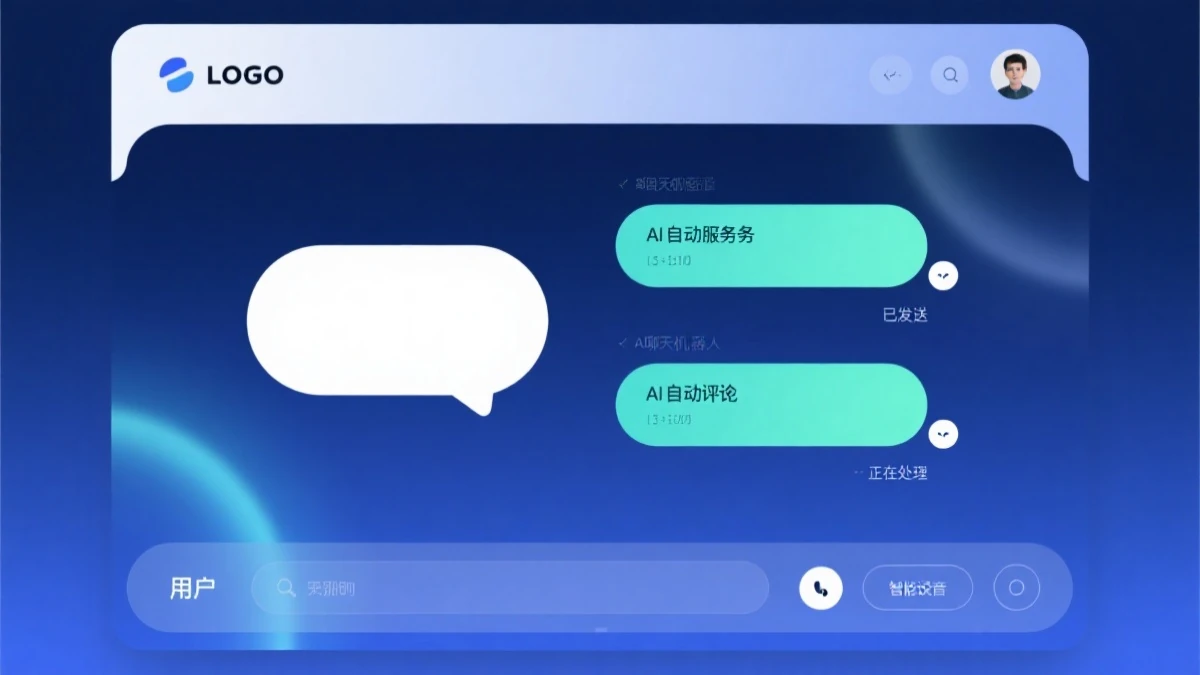
AI客服系统:自动化对话处理
▸ 1.1 对话界面 vs API调用的区别
| 对话界面 | API调用 |
|---|---|
| 手动输入,鼠标点击 | 代码自动执行 |
| 一次一问一答 | 批量自动处理 |
| 无法集成到其他系统 | 可嵌入任何应用 |
| 无法自定义逻辑 | 完全可控可编程 |
| 适合探索和尝鲜 | 适合生产环境 |
▸ 1.2 API调用能做什么
场景一:批量内容处理
for item in data_list:
result = ai_analyze(item)
save_result(result)
场景二:嵌入自己的应用
def handle_user_message(user_input):
response = call_ai_api(user_input)
return response
场景三:构建自动化流程
while True:
event = wait_for_event()
if event.type == 'email_received':
summary = call_ai_api(f"总结这封邮件: {event.content}")
send_notification(summary)
▸ 1.3 主流AI API平台对比
| 平台 | 模型 | 价格 | 易用性 | 特色 |
|---|---|---|---|---|
| OpenAI | GPT-4o, GPT-4o-mini | 💰💰💰 | ⭐⭐⭐⭐⭐ | 生态最完善 |
| Anthropic | Claude 3.5, Claude 3 | 💰💰💰 | ⭐⭐⭐⭐ | 长上下文强 |
| Gemini 3.1 Pro | 💰💰 | ⭐⭐⭐⭐ | 性价比高 | |
| 国内厂商 | 文心/通义/Kimi | 💰 | ⭐⭐⭐⭐ | 中文好/免费额度大 |
🔹 二、API调用基础环境准备

数据分析助手:智能数据洞察
▸ 2.1 获取API Key
OpenAI API获取步骤:
- 访问 https://platform.openai.com/api-keys
- 登录/注册账号
- 点击 “Create new secret key”
- 复制生成的API Key(以sk-开头)
重要安全提醒:
- API Key就像密码,绝对不要泄露给他人
- 不要提交到GitHub等公开仓库
- 生产环境使用环境变量存储
▸ 2.2 Python环境配置
python -m venv ai-api-env
source ai-api-env/bin/activate  # Mac/Linux
ai-api-env\Scripts\activate     # Windows
pip install openai anthropic python-dotenv
▸ 2.3 项目结构规范
ai-api-project/
├── .env              # API密钥(不上传GitHub)
├── .env.example      # 密钥格式模板
├── .gitignore        # 忽略敏感文件
├── config.py         # 配置管理
├── api_client.py     # API调用封装
├── main.py           # 主程序入口
└── requirements.txt   # 依赖列表
.env 文件格式:
OPENAI_API_KEY=sk-xxxxxxxxxxxxxxxxxxxxxxxx
ANTHROPIC_API_KEY=sk-ant-xxxxxxxxxxxxxxxxxxxxxxxx
.gitignore 内容:
.env
__pycache__/
*.pyc
.env
🔹 三、OpenAI API深度调用

API集成架构:系统互联互通
▸ 3.1 基础调用
from openai import OpenAI
import os
from dotenv import load_dotenv
load_dotenv()
client = OpenAI(
api_key=os.getenv("OPENAI_API_KEY")
)
response = client.chat.completions.create(
model="gpt-4o",           # 模型选择
messages=[
{"role": "system", "content": "你是一个专业的助手"},
{"role": "user", "content": "你好,请介绍一下自己"}
],
temperature=0.7,           # 创造性(0-2)
max_tokens=1000            # 最大回复长度
)
reply = response.choices[0].message.content
print(reply)
▸ 3.2 流式输出(实时看到AI生成)
import stream
stream_response = client.chat.completions.create(
model="gpt-4o",
messages=[
{"role": "user", "content": "写一篇500字的科幻小说"}
],
stream=True
)
for chunk in stream_response:
if chunk.choices[0].delta.content:
print(chunk.choices[0].delta.content, end="", flush=True)
▸ 3.3 函数调用(Function Calling)
tools = [
{
"type": "function",
"function": {
"name": "get_weather",
"description": "获取指定城市的天气",
"parameters": {
"type": "object",
"properties": {
"city": {
"type": "string",
"description": "城市名称,如:北京、上海"
}
},
"required": ["city"]
}
}
}
]
response = client.chat.completions.create(
model="gpt-4o",
messages=[
{"role": "user", "content": "北京今天天气怎么样?"}
],
tools=tools,
tool_choice="auto"
)
message = response.choices[0].message
if message.tool_calls:
for call in message.tool_calls:
function_name = call.function.name
arguments = json.loads(call.function.arguments)
print(f"AI调用了函数: {function_name}")
print(f"参数: {arguments}")
▸ 3.4 高级参数详解
response = client.chat.completions.create(
model="gpt-4o",
messages=[
{"role": "system", "content": "你是一个专业的数据分析助手"},
{"role": "user", "content": "分析这份销售数据"}
],
# 温度参数:控制随机性
# 0.0-0.3:确定性高,适合事实问答
# 0.3-0.7:平衡模式,适合通用对话
# 0.7-1.0:高随机性,适合创意写作
temperature=0.7,
# 最大token数:控制回复长度
max_tokens=2000,
# 顶部概率截断:只从最可能的token中采样
# 值越小,回复越确定;值越大,回复越多样
top_p=0.9,
# 频率惩罚:减少重复
# 正值惩罚已出现的token,减少重复
frequency_penalty=0.5,
# 存在惩罚:鼓励话题扩展
# 正值鼓励AI谈论新话题
presence_penalty=0.3,
# 回复数量
n=1,
# 是否流式输出
stream=False,
)
🔹 四、Anthropic Claude API调用
▸ 4.1 基础调用
from anthropic import Anthropic
import os
from dotenv import load_dotenv
load_dotenv()
client = Anthropic(
api_key=os.getenv("ANTHROPIC_API_KEY")
)
message = client.messages.create(
model="claude-3-5-sonnet-20241022",
max_tokens=1024,
messages=[
{"role": "user", "content": "请介绍一下Claude的优势"}
]
)
print(message.content[0].text)
▸ 4.2 System Prompt与Few-shot Learning
message = client.messages.create(
model="claude-3-5-sonnet-20241022",
max_tokens=1024,
system=[
{
"type": "text",
"text": """你是一位资深的数据分析师。
你的职责是:
1. 解读数据趋势
2. 发现数据中的异常
3. 提出可行的业务建议
请用简洁专业的语言回复。"""
}
],
messages=[
{"role": "user", "content": "我们的月度销售额下降了15%,请分析原因"}
]
)
▸ 4.3 图像识别(多模态)
import base64
with open("chart.png", "rb") as f:
image_data = base64.b64encode(f.read()).decode()
message = client.messages.create(
model="claude-3-5-sonnet-20241022",
max_tokens=1024,
messages=[
{
"role": "user",
"content": [
{
"type": "image",
"source": {
"type": "base64",
"media_type": "image/png",
"data": image_data
}
},
{
"type": "text",
"text": "请分析这张图表的主要数据和趋势"
}
]
}
]
)
print(message.content[0].text)
🔹 五、批量处理与错误处理
▸ 5.1 批量调用模式
import time
from concurrent.futures import ThreadPoolExecutor
def call_ai_with_retry(prompt, max_retries=3, delay=1):
"""带重试的API调用"""
for attempt in range(max_retries):
try:
response = client.chat.completions.create(
model="gpt-4o",
messages=[{"role": "user", "content": prompt}]
)
return response.choices[0].message.content
except Exception as e:
if attempt < max_retries - 1:
time.sleep(delay * (attempt + 1))  # 指数退避
else:
return f"错误: {str(e)}"
def batch_process(items, process_func, max_workers=5):
"""批量处理任务"""
results = []
with ThreadPoolExecutor(max_workers=max_workers) as executor:
futures = [executor.submit(process_func, item) for item in items]
for future in futures:
try:
result = future.result(timeout=60)
results.append(result)
except Exception as e:
results.append({"error": str(e)})
return results
items = [f"分析第{i}个产品的用户评价" for i in range(100)]
results = batch_process(items, call_ai_with_retry, max_workers=3)
▸ 5.2 速率限制处理
import time
from ratelimit import limits, sleep_and_retry
@sleep_and_retry
@limits(calls=50, period=60)  # 每分钟最多50次
def rate_limited_call(prompt):
"""限速调用的装饰器"""
response = client.chat.completions.create(
model="gpt-4o",
messages=[{"role": "user", "content": prompt}]
)
return response.choices[0].message.content
for item in items:
result = rate_limited_call(item)
save_result(result)
time.sleep(1)  # 额外间隔
▸ 5.3 完整的错误处理框架
class AIAPIClient:
def __init__(self, api_key, model="gpt-4o"):
self.client = OpenAI(api_key=api_key)
self.model = model
def call(self, prompt, **kwargs):
"""带完整错误处理的API调用"""
try:
response = self.client.chat.completions.create(
model=self.model,
messages=[{"role": "user", "content": prompt}],
**kwargs
)
return {
"success": True,
"data": response.choices[0].message.content,
"usage": response.usage.total_tokens
}
except openai.RateLimitError:
return {
"success": False,
"error": "速率限制,请稍后重试",
"retry_after": 60
}
except openai.APIError as e:
return {
"success": False,
"error": f"API错误: {str(e)}"
}
except Exception as e:
return {
"success": False,
"error": f"未知错误: {str(e)}"
}
def batch_call(self, prompts, delay=1):
"""批量调用,自动处理错误"""
results = []
for i, prompt in enumerate(prompts):
print(f"处理 {i+1}/{len(prompts)}...")
result = self.call(prompt)
results.append(result)
if not result["success"]:
print(f"  失败: {result['error']}")
time.sleep(delay)  # 避免速率限制
return results
🔹 六、实战一:构建AI客服系统
▸ 6.1 系统架构
用户消息 → 消息分类 → [FAQ匹配 / AI生成回复] → 回复用户
↓
意图识别 → 工单创建(复杂问题)
▸ 6.2 完整代码实现
from openai import OpenAI
import os
from dotenv import load_dotenv
load_dotenv()
client = OpenAI(api_key=os.getenv("OPENAI_API_KEY"))
class AICustomerService:
def __init__(self):
# FAQ知识库
self.faq = {
"如何退货": "我们的退货政策是:收到商品后7天内可申请退货...",
"如何修改订单": "修改订单请进入'我的订单',点击'修改'按钮...",
"运费计算": "订单满99元免运费,不满99元收取5元运费...",
}
# 意图分类提示
self.classification_prompt = """请判断用户消息属于哪个类别:
类别选项:
- faq:常见问题,可以直接回答
- complex:复杂问题,需要转人工
- feedback:用户反馈,需要记录
用户消息:{message}
只回答一个词:faq / complex / feedback"""
def classify_intent(self, message):
"""识别用户意图"""
response = client.chat.completions.create(
model="gpt-4o",
messages=[{"role": "user", "content": self.classification_prompt.format(message=message)}]
)
return response.choices[0].message.content.strip().lower()
def find_faq_answer(self, message):
"""在FAQ中查找匹配答案"""
# 提取关键词
for keyword, answer in self.faq.items():
if keyword in message:
return answer
return None
def generate_response(self, message, history=""):
"""AI生成回复"""
response = client.chat.completions.create(
model="gpt-4o",
messages=[
{"role": "system", "content": """你是一个耐心、专业的客服。
- 用友好、专业的语气回复
- 如果无法回答,诚实地说明情况
- 适当引导用户提供更多信息"""},
{"role": "user", "content": message}
],
temperature=0.7
)
return response.choices[0].message.content
def handle_message(self, message):
"""处理用户消息"""
# 1. 意图分类
intent = self.classify_intent(message)
if intent == "faq":
# 2a. FAQ匹配
answer = self.find_faq_answer(message)
if answer:
return answer
# 如果没有匹配,继续用AI生成
return self.generate_response(message)
elif intent == "complex":
# 2b. 复杂问题转人工
return "您的问题比较复杂,我为您转接人工客服..."
elif intent == "feedback":
# 2c. 记录反馈
return "感谢您的反馈,我们会认真考虑您的建议!"
else:
return self.generate_response(message)
service = AICustomerService()
while True:
user_message = input("你: ")
if user_message.lower() in ["退出", "exit", "quit"]:
break
response = service.handle_message(user_message)
print(f"AI: {response}")
🔹 七、实战二:AI数据分析助手
▸ 7.1 功能设计
- 自动读取CSV/Excel数据
- 生成数据摘要和趋势分析
- 回答用户关于数据的自然语言问题
- 生成可视化建议
▸ 7.2 完整代码实现
import pandas as pd
import io
from openai import OpenAI
import os
from dotenv import load_dotenv
load_dotenv()
client = OpenAI(api_key=os.getenv("OPENAI_API_KEY"))
class AIDataAnalyzer:
def __init__(self, data_file):
"""加载数据文件"""
if data_file.endswith('.csv'):
self.df = pd.read_csv(data_file)
elif data_file.endswith(('.xlsx', '.xls')):
self.df = pd.read_excel(data_file)
else:
raise ValueError("不支持的文件格式")
# 生成数据摘要
self.summary = self._generate_summary()
def _generate_summary(self):
"""生成数据摘要"""
buffer = io.StringIO()
self.df.info(buf=buffer)
info = buffer.getvalue()
desc = self.df.describe().to_string()
return f"""数据概览:
{info}
数值列统计:
{desc}
列名:{list(self.df.columns)}
数据类型:{self.df.dtypes.to_string()}"""
def ask_question(self, question):
"""用自然语言问数据问题"""
prompt = f"""你是一个数据分析专家。请基于以下数据回答用户的问题。
数据摘要:
{self.summary}
用户问题:{question}
请给出准确、简洁的回答。如果需要计算,请先计算再回答。"""
response = client.chat.completions.create(
model="gpt-4o",
messages=[{"role": "user", "content": prompt}],
temperature=0.3  # 低温度,保证准确性
)
return response.choices[0].message.content
def get_insights(self):
"""让AI自动发现数据洞察"""
prompt = f"""分析以下数据,找出5个最有价值的数据洞察:
{self.summary}
请按重要性排序,每个洞察包含:
1. 洞察内容
2. 数据支撑
3. 建议的行动"""
response = client.chat.completions.create(
model="gpt-4o",
messages=[{"role": "user", "content": prompt}],
temperature=0.5
)
return response.choices[0].message.content
analyzer = AIDataAnalyzer("sales_data.csv")
print(analyzer.ask_question("上个月销售额最高的产品是什么?"))
print("\n=== 数据洞察 ===")
print(analyzer.get_insights())
🔹 八、API调用的安全与成本优化
▸ 8.1 安全管理
import os
api_key = os.getenv("OPENAI_API_KEY")
api_key = "sk-xxxxxx..."  # 绝对不要这样做!
▸ 8.2 成本优化策略
1. 选择合适的模型
def get_model(task_type):
models = {
"simple": "gpt-4o-mini",      # 简单问答,便宜快速
"medium": "gpt-4o",           # 中等复杂度的任务
"complex": "gpt-4o"            # 复杂任务
}
return models.get(task_type, "gpt-4o-mini")
model = get_model("simple")  # 便宜90%!
2. 减少Token消耗
system_prompt = """
你是一个非常有用的助手。
你的名字叫做小AI。
你被设计用来帮助用户解决问题。
你非常聪明且乐于助人。
...
"""
system_prompt = "专业助手,回答简洁"
messages = [
{"role": "system", "content": "你是助手"},
{"role": "user", "content": "你好"},  # 历史消息
{"role": "assistant", "content": "你好"},  # 不需要的可以删除
{"role": "user", "content": "今天天气如何"}
]
messages = [
{"role": "user", "content": "今天天气如何"}
]
3. 批量处理减少API调用
for question in questions:
result = call_api(question)
combined_prompt = """
请依次回答以下问题:
1. 问题1:...
2. 问题2:...
3. 问题3:...
请用编号列表回答。
"""
result = call_api(combined_prompt)
🔹 九、常见问题与解决方案
▸ 问题一:API调用失败
可能原因:
- API Key无效或过期
- 网络连接问题
- 余额不足
解决方案:
import os
print(f"API Key存在: {os.getenv('OPENAI_API_KEY') is not None}")
▸ 问题二:速率限制
解决方案:
import time
max_retries = 3
for i in range(max_retries):
try:
response = call_api(prompt)
break
except RateLimitError:
if i < max_retries - 1:
time.sleep(2 ** i)  # 指数退避
else:
raise
▸ 问题三:输出内容被截断
解决方案:
response = client.chat.completions.create(
model="gpt-4o",
messages=[{"role": "user", "content": prompt}],
max_tokens=4000  # 增加max_tokens
)
🔹 十、总结与下期预告
▸ 本章知识点回顾
- 为什么学习API调用:从手动聊天到自动化处理
- 环境准备:API Key获取、Python环境配置、项目结构
- OpenAI API调用:基础调用、流式输出、函数调用、高级参数
- Claude API调用:基础调用、System Prompt、多模态支持
- 批量处理:重试机制、速率限制、错误处理框架
- 实战案例:AI客服系统、数据分析助手
- 安全与成本:密钥管理、模型选择、Token优化
▸ 下期预告
Day7我们将学习:Function Calling实战——让AI真正帮你调用工具、执行操作。
参考资料:
- OpenAI API官方文档
- Anthropic Claude API文档
- Python API调用最佳实践
关于作者:本文为AI进阶实战30天系列第6篇。
互动话题:你在API调用中遇到过什么坑?欢迎评论区分享!
关注我,每天学习一个AI硬技能!
相关文章
 【Prompt炼金术】Day8|模板库:拿来即用的实战模板集合
 【Prompt炼金术】Day8|模板库:拿来即用的实战模板集合
 【Prompt炼金术】Day7|思维链:让AI从”胡言乱语”到”有理有据”
 【Prompt炼金术】Day6|高级参数:让AI输出稳定可控的秘诀

AI智能室
学AI,用AI,开启智能新时代

扫码关注公众号


扫码添加QQ