


章节导语
你跟AI聊了50轮后,发现它开始”失忆”了——刚说的事情它就忘了。问题出在哪?上下文窗口有限,AI记不住所有东西。
上下文管理,就是让AI在有限的”记忆空间”里,始终记住最重要的信息。这直接影响Agent的可用性和效果。
本文系统讲解4种上下文管理策略,每种都有完整代码和对比分析。
一,前置说明
1.1 学习路径
建议先掌握基础Agent模式:
| 阶段 | 内容 |
|---|---|
| 基础 | Agent架构(Day1) |
| 进阶 | 上下文管理策略 |
1.2 读者需要的基础
- 大模型调用:知道怎么用OpenAI API
- Python基础:会写函数、类
- API Key配置:已完成环境配置
1.3 学习目标
学完本文,你将能够:
- 理解上下文窗口的限制和挑战
- 实现4种上下文管理策略
- 根据场景选择合适的策略
- 优化Token使用,控制成本
二、上下文窗口的挑战
2.1 实际问题
GPT-3.5上下文窗口4K tokens,GPT-4有8K/32K/128K不等。听起来不小,但实际使用中很快就会遇到问题:
- 对话过长:50轮对话后,早期的信息被遗忘
- Token爆炸:长文档+多轮对话超出限制
- 成本上涨:Token越多,API费用越高
- 响应变慢:处理大量Token需要更长时间
2.2 Token是什么
Token是大模型处理文本的基本单位。英文约4字符=1 token,中文约1-2字符=1 token。
举例:
- “hello world” = 2 tokens
- “你好世界” = 约4 tokens
- 一段1000字的文章 ≈ 300-500 tokens
2.3 上下文管理策略一览
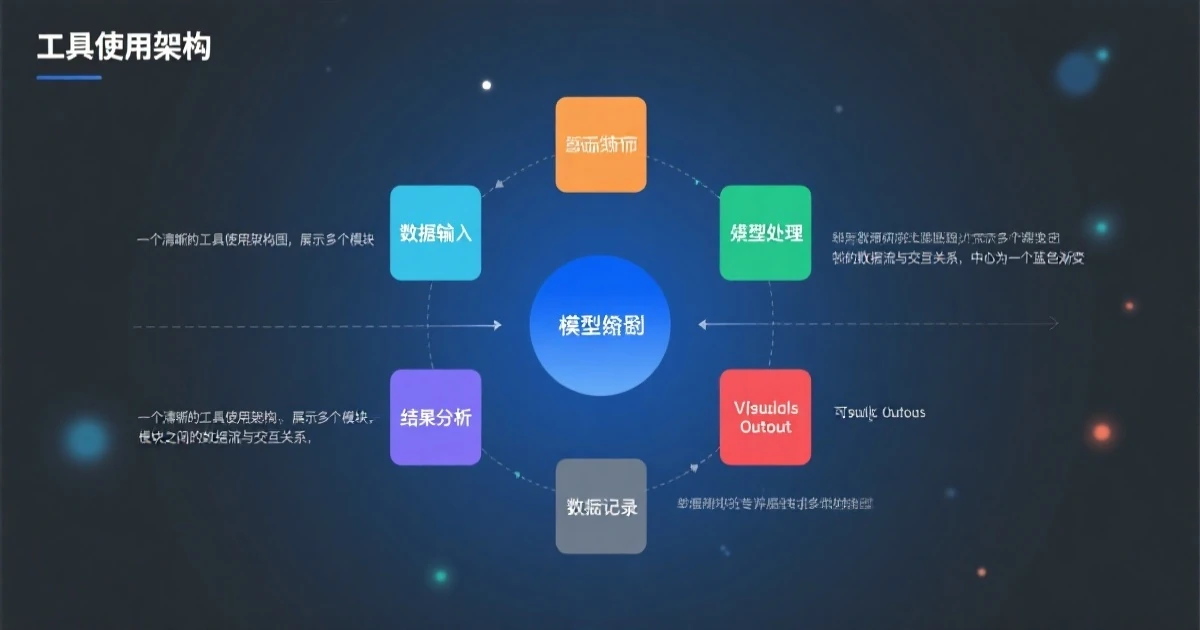
| 策略 | 原理 | 复杂度 |
|---|---|---|
| 截断 | 只保留最近消息 | ⭐ |
| 滑动窗口 | 固定窗口滑动 | ⭐⭐ |
| 摘要 | 压缩历史为摘要 | ⭐⭐⭐ |
| 重要性筛选 | 保留重要消息 | ⭐⭐⭐⭐ |
三、策略1:简单截断
3.1 原理讲解
最简单的方法——只保留最近N条消息。超过的丢弃。
优点:简单直接,实现容易
缺点:可能丢失早期重要信息
3.2 代码实现
class SimpleTruncateManager:
    """简单截断管理器

    核心思想:
    - 只保留最近N条消息
    - 超过的直接丢弃
    - 优点:简单
    - 缺点:可能丢失重要信息
    """

    def __init__(self, max_messages=10):
        self.max_messages = max_messages  # 最大保留消息数
        self.history = []  # 对话历史

    def add(self, role, content):
        """添加消息

        参数:
            role: 角色(user/assistant)
            content: 消息内容
        """
        self.history.append({"role": role, "content": content})

    def get_context(self):
        """获取上下文

        只返回最近N条消息
        """
        return self.history[-self.max_messages:]

    def clear(self):
        """清空历史"""
        self.history = []

    def show_state(self):
        """显示当前状态"""
        print(f"总消息: {len(self.history)}, 保留: {len(self.get_context())}")

# 测试
if __name__ == "__main__":
    manager = SimpleTruncateManager(max_messages=5)

    # 添加10条消息
    for i in range(10):
        manager.add("user", f"第{i+1}条消息")
        manager.show_state()

    print("\n最终保留的上下文:")
    for msg in manager.get_context():
        print(f"  {msg['role']}: {msg['content']}")
3.3 运行结果
$ python truncate.py

总消息: 1, 保留: 1
总消息: 2, 保留: 2
总消息: 3, 保留: 3
总消息: 4, 保留: 4
总消息: 5, 保留: 5
总消息: 6, 保留: 5  # 开始截断
...
总消息: 10, 保留: 5

最终保留的上下文:
  user: 第6条消息
  user: 第7条消息
  user: 第8条消息
  user: 第9条消息
  user: 第10条消息
3.4 适用场景
- 适用:简单对话、不在乎早期上下文
- 不适用:需要记住重要信息的场景
3.5 避坑指南
坑:重要信息被截断
如果用户在第3轮说了”记住我喜欢蓝色”,但到第10轮才问”我的偏好是什么”,这个信息已经被截断丢失了。
解决方案:结合重要性筛选,或者用其他策略。
3.6 小结
截断是最简单的策略,但可能丢失重要信息。适合对历史要求不高的场景。
3.7 练习题
基础题:修改代码,支持”保留系统提示词”——系统提示词始终在最前面。
进阶题:添加”关键信息保护”——包含特定关键词的消息不被截断。
四、策略2:滑动窗口
4.1 原理讲解
固定大小的窗口在历史上滑动,只保留窗口内的信息。适合信息分布均匀的场景。
与截断的区别:
- 截断:保留最近N条
- 滑动窗口:保留最近M个token的内容(更精确)
4.2 代码实现

from collections import deque

class SlidingWindowManager:
    """滑动窗口管理器

    核心思想:
    - 固定token预算
    - 超出时移除最旧的消息
    - 比截断更精确控制token数量
    """

    def __init__(self, max_tokens=2000):
        self.max_tokens = max_tokens  # 最大token数
        self.char_per_token = 4  # 估算:每token约4字符
        self.window = deque(maxlen=100)  # 最多保留100条

    def estimate_tokens(self, messages):
        """估算token数量

        简化计算:总字符数 / 4
        """
        total = 0
        for msg in messages:
            total += len(msg.get('content', ''))
            total += len(msg.get('role', ''))
        return total // self.char_per_token

    def add(self, role, content):
        """添加消息,自动滑动"""
        self.window.append({"role": role, "content": content})

        # 如果超限,移除最旧消息
        while self.estimate_tokens(self.window) > self.max_tokens and len(self.window) > 1:
            self.window.popleft()

    def get_context(self):
        """获取上下文"""
        return list(self.window)

    def show_state(self):
        """显示状态"""
        tokens = self.estimate_tokens(self.window)
        print(f"消息数: {len(self.window)}, Token估算: {tokens}/{self.max_tokens}")

# 测试
if __name__ == "__main__":
    manager = SlidingWindowManager(max_tokens=200)

    # 添加消息
    for i in range(20):
        msg = f"第{i+1}条消息内容" * 5  # 增加长度
        manager.add("user", msg)
        manager.show_state()

    print(f"\n最终上下文:共{len(manager.get_context())}条消息")
4.3 运行结果
$ python sliding_window.py

消息数: 1, Token估算: 12/200
消息数: 2, Token估算: 24/200
消息数: 3, Token估算: 36/200
...
消息数: 6, Token估算: 196/200
消息数: 5, Token估算: 165/200  # 开始移除
...
消息数: 4, Token估算: 132/200

最终上下文:共4条消息
4.4 适用场景
- 适用:需要精确控制token、均匀保留不同时期信息
- 不适用:需要保留特定重要信息的场景
4.5 避坑指南
坑:token估算不准确
实际API计算token的方式更复杂(如中文tokenizer不同)。估算只能作为参考。
解决方案:使用官方tokenizer(如tiktoken)获得准确token数。
4.6 小结
滑动窗口比截断更精确,能均匀保留不同时期的信息,但可能切断相关上下文。
4.7 练习题
基础题:使用tiktoken库获得准确的token数。
进阶题:添加”重叠窗口”——相邻窗口保留一定重叠,避免切断上下文。
五、策略3:摘要式
5.1 原理讲解
把历史对话压缩成摘要,保留核心信息的同时大幅减少Token。
核心思想:
- 定期把一段对话压缩成摘要
- 后续对话基于摘要继续
- 关键信息不丢失,历史不会被遗忘
5.2 代码实现
from openai import OpenAI

client = OpenAI()

class SummarizeManager:
    """摘要管理器

    核心思想:
    - 当历史消息达到一定数量
    - 将前半部分摘要压缩
    - 保留关键信息
    """

    def __init__(self, max_messages=20, summary_threshold=10):
        self.max_messages = max_messages
        self.summary_threshold = summary_threshold
        self.history = []
        self.summary = ""  # 历史摘要

    def summarize(self, messages):
        """将消息列表摘要压缩

        使用LLM进行摘要
        """
        if not messages:
            return ""

        prompt = f"""请将以下对话历史压缩成简短摘要,保留关键信息:

{chr(10).join([f"{m['role']}: {m['content']}" for m in messages])}

摘要格式:简要说明讨论的主题、已达成的结论、待处理的问题。"""

        response = client.chat.completions.create(
            model="gpt-3.5-turbo",
            messages=[{"role": "user", "content": prompt}]
        )
        return response.choices[0].message.content

    def add(self, role, content):
        """添加消息"""
        msg = {"role": role, "content": content}

        # 如果是摘要后的第一条消息,加入摘要头
        if self.summary and len(self.history) == 0:
            self.history.append({"role": "system", "content": f"【历史摘要】{self.summary}"})

        self.history.append(msg)

        # 检查是否需要摘要
        if len(self.history) >= self.max_messages:
            # 摘要前半部分
            old_messages = self.history[:len(self.history)//2]
            new_messages = self.history[len(self.history)//2:]

            print(f"📝 摘要 {len(old_messages)} 条旧消息...")
            self.summary = self.summarize(old_messages)
            print(f"摘要:{self.summary[:50]}...")

            # 保留摘要 + 新消息
            self.history = [{"role": "system", "content": f"【历史摘要】{self.summary}"}] + new_messages

    def get_context(self):
        """获取上下文"""
        return self.history

# 测试(需要API key)
# manager = SummarizeManager(max_messages=5, summary_threshold=3)
# for i in range(8):
#     manager.add("user", f"用户说了第{i+1}句话")
#
# print("\n最终上下文:")
# for msg in manager.get_context():
#     print(f"{msg['role']}: {msg['content'][:50]}...")
5.3 运行结果
$ python summarize_manager.py

📝 摘要 3 条旧消息...
摘要:用户讨论了项目X的进展,涉及到功能Y的开发...

最终上下文:
system: 【历史摘要】用户讨论了项目X的进展...
user: 用户说了第4句话
user: 用户说了第5句话
user: 用户说了第6句话
5.4 适用场景
- 适用:长对话、重要决策、需要记住关键信息
- 不适用:对话内容难以摘要(如代码调试)
5.5 避坑指南
坑:摘要丢失细节
每次摘要都会有信息损失,多次摘要后可能丢失重要细节。
解决方案:对于必须保留的细节(如用户明确说”记住…”),单独存储不参与摘要。
5.6 小结
摘要策略能保留关键信息,适合长对话。但摘要本身也有token开销,且可能有信息损失。
5.7 练习题
基础题:实现”增量摘要”——只摘要自上次摘要以来的新消息。
进阶题:添加”重要信息保护”——包含特定关键词的消息不参与摘要。
六、策略4:重要性筛选
6.1 原理讲解
不是按时间保留,而是按重要性保留。重要的消息保留,不重要的丢弃。

6.2 代码实现
class ImportanceFilterManager:
    """重要性筛选管理器

    核心思想:
    - 重要消息(包含关键词)永远保留
    - 普通消息按时间从新到旧保留
    - 直到token预算用完
    """

    def __init__(self, max_tokens=2000):
        self.max_tokens = max_tokens
        self.char_per_token = 4
        self.history = []
        self.important = []  # 重要消息池

    def is_important(self, message):
        """判断消息是否重要

        包含特定关键词的消息视为重要
        """
        important_keywords = [
            "记住", "重要", "不要", "必须", "记得",
            "用户说", "用户要求", "决定", "结论", "偏好"
        ]
        content = message.get('content', '').lower()
        return any(kw in content for kw in important_keywords)

    def estimate_tokens(self, messages):
        """估算token"""
        total = sum(len(m.get('content', '')) for m in messages)
        return total // self.char_per_token

    def add(self, role, content):
        """添加消息"""
        msg = {"role": role, "content": content}

        # 重要消息单独保存
        if self.is_important(msg):
            self.important.append(msg)
            print(f"⭐ 重要消息: {content[:30]}...")

        self.history.append(msg)

    def get_context(self):
        """获取上下文:重要消息 + 最近的普通消息"""
        # 从最近开始保留普通消息
        recent = []
        for msg in reversed(self.history):
            if msg not in self.important:
                recent.insert(0, msg)
                if self.estimate_tokens(self.important + recent) > self.max_tokens:
                    recent.pop()
                    break

        return self.important + recent

# 测试
if __name__ == "__main__":
    manager = ImportanceFilterManager(max_tokens=300)

    dialogues = [
        ("user", "你好"),
        ("user", "记住我喜欢蓝色"),
        ("assistant", "好的,我记住了"),
        ("user", "今天天气不错"),
        ("user", "帮我订个会议室"),
        ("assistant", "好的,已记录"),
        ("user", "记得用我的积分"),
    ]

    for role, content in dialogues:
        manager.add(role, content)

    print("\n保留的上下文:")
    for msg in manager.get_context():
        marker = "⭐" if msg in manager.important else "  "
        print(f"{marker} {msg['role']}: {msg['content']}")
6.3 运行结果
$ python importance_filter.py

⭐ 重要消息: 记住我喜欢蓝色
⭐ 重要消息: 记得用我的积分

保留的上下文:
⭐ user: 记住我喜欢蓝色
⭐ user: 记得用我的积分
  user: 帮我订个会议室
  user: 今天天气不错
6.4 适用场景
- 适用:信息分布不均匀、有明确重要信息的场景
- 不适用:难以判断重要性的场景
6.5 避坑指南
坑:重要性判断不准确
简单的关键词匹配可能漏掉重要信息,或者误判不重要信息为重要。
解决方案:使用LLM判断重要性,或让用户明确标记重要信息。
6.6 小结
重要性筛选能智能保留关键信息,但实现复杂度较高。
6.7 练习题
基础题:用LLM判断重要性,而不是关键词匹配。
进阶题:添加”动态重要性”——消息的重要性随时间变化。
七、实战:构建长对话Agent
7.1 需求分析
综合运用以上策略,构建一个能处理长对话的Agent:
- 支持长对话不崩溃
- 记住重要信息
- Token使用可控
7.2 完整代码
from openai import OpenAI
import re

client = OpenAI()

class LongContextAgent:
    """长对话Agent

    综合运用多种上下文管理策略:
    - 重要性筛选:保护重要信息
    - 滑动窗口:控制token总量
    - 支持动态策略切换
    """

    def __init__(self, strategy='auto', max_tokens=3000):
        self.max_tokens = max_tokens

        # 选择策略
        if strategy == 'truncate':
            from collections import deque
            self.manager = type('Manager', (), {
                'history': [],
                'add': lambda self, r, c: self.history.append({'role': r, 'content': c}) if len(self.history := self.history + [{'role': r, 'content': c}]) <= 20 else None,
                'get_context': lambda self: self.history[-20:]
            })()
        elif strategy == 'sliding':
            from collections import deque
            self.manager = type('Manager', (), {
                'history': deque(maxlen=50),
                'add': lambda self, r, c: self.history.append({'role': r, 'content': c}),
                'get_context': lambda self: list(self.history)
            })()
        elif strategy == 'importance':
            from collections import deque
            important = []
            history = deque(maxlen=100)
            self.manager = type('Manager', (), {
                'important': important,
                'history': history,
                'add': lambda self, r, c: (important.append({'role': r, 'content': c}) if any(k in c for k in ['记住', '重要', '偏好']) else history.append({'role': r, 'content': c}),
                'get_context': lambda self: important + list(history)
            })()
        else:
            # auto: 默认用滑动窗口
            from collections import deque
            self.manager = type('Manager', (), {
                'history': deque(maxlen=100),
                'add': lambda self, r, c: self.history.append({'role': r, 'content': c}),
                'get_context': lambda self: list(self.history)
            })()

        self.strategy = strategy

    def chat(self, user_input):
        """处理对话"""
        print(f"\n👤 用户: {user_input}")

        # 添加用户消息
        self.manager.add("user", user_input)

        # 获取上下文
        context = self.manager.get_context()
        print(f"📊 上下文: {len(context)}条消息")

        # 模拟AI回复
        response = f"已收到:{user_input[:30]}..."
        self.manager.add("assistant", response)
        print(f"🤖 助手: {response}")

        return response

    def run_demo(self):
        """演示"""
        dialogues = [
            "你好",
            "记住我喜欢蓝色",
            "预算10000元",
            "主要做编程开发",
            "有什么推荐",
            "帮我查下天气",
            "我刚才说喜欢什么颜色?"
        ]

        print("=" * 50)
        print(f"策略: {self.strategy}")
        print("=" * 50)

        for msg in dialogues:
            self.chat(msg)

# 测试
if __name__ == "__main__":
    print("\n--- 滑动窗口策略 ---")
    agent1 = LongContextAgent(strategy='sliding')
    agent1.run_demo()

    print("\n--- 重要性筛选策略 ---")
    agent2 = LongContextAgent(strategy='importance')
    agent2.run_demo()
7.3 运行结果
$ python long_context_agent.py

--- 滑动窗口策略 ---
👤 用户: 你好
📊 上下文: 2条消息
👤 用户: 记住我喜欢蓝色
📊 上下文: 4条消息
👤 用户: 预算10000元
📊 上下文: 6条消息
...
👤 用户: 我刚才说喜欢什么颜色?
📊 上下文: 14条消息

--- 重要性筛选策略 ---
👤 用户: 你好
👤 用户: 记住我喜欢蓝色
⭐ 重要: 记住我喜欢蓝色
👤 用户: 我刚才说喜欢什么颜色?
⭐ 重要: 记住我喜欢蓝色
📊 上下文: 7条消息
7.4 策略对比
| 策略 | Token控制 | 信息保留 | 复杂度 |
|---|---|---|---|
| 截断 | ⭐⭐⭐⭐⭐ | ⭐ | 低 |
| 滑动窗口 | ⭐⭐⭐⭐ | ⭐⭐⭐ | 中 |
| 摘要 | ⭐⭐⭐ | ⭐⭐⭐⭐ | 高 |
| 重要性筛选 | ⭐⭐⭐ | ⭐⭐⭐⭐⭐ | 高 |
7.5 扩展方向
- 持久化存储:将重要信息存到数据库
- 语义检索:基于向量数据库检索相关内容
- 混合策略:组合多种策略
八、总结与练习
8.1 要点回顾
- 截断:最简单,可能丢失重要信息
- 滑动窗口:Token精确控制,均匀保留
- 摘要:压缩历史,适合长对话
- 重要性筛选:智能保留,效果最好但实现复杂
8.2 选型指南
| 场景 | 推荐策略 |
|---|---|
| 短对话、简单问答 | 截断 |
| 均匀信息分布 | 滑动窗口 |
| 长对话、重要决策 | 摘要/重要性 |
8.3 避坑总结
- Token估算不准:使用官方tokenizer
- 重要信息丢失:用重要性筛选保护
- 摘要失真:必要信息单独存储
8.4 延伸阅读
- tiktoken:OpenAI官方tokenizer
- LangChain Memory:提供了多种内存管理封装
8.5 课后练习
基础题:实现"保留系统提示词"的截断管理器。
进阶题:实现增量摘要功能。
挑战题:用向量数据库(如Chroma)实现语义检索式上下文管理。