


你是否有这样的困惑:AI聊天机器人看起来无所不能,但让它帮你查个天气、订个机票,它就”晕圈”了?
问题的根源在于:传统AI只能”说”,不能”做”。
而Function Calling,就是让AI从”纸上谈兵”进化到”真刀真枪”的关键技术。
它是连接AI大脑与真实世界的桥梁——让大语言模型能够调用外部工具、执行真实操作、完成实际任务。
本文将带你从零掌握Function Calling的核心原理,并通过多个实战案例,让你真正学会用这项技术构建实用的AI应用。
🔹 一、为什么需要Function Calling
Function Calling让AI从”说”到”做”
▸ 1.1 AI的致命弱点:只说不做
在日常使用中,你可能遇到过这样的场景:
场景一:查天气
你:帮我查一下明天北京的天气
AI:好的,明天北京天气晴,温度15-22度…
这看起来很正常。但仔细想想——AI是怎么知道天气的?它其实是”背”出来的,或者随便编的。
场景二:订机票
你:帮我订一张下周去上海的机票
AI:抱歉,我无法直接帮你订机票。我可以推荐一些航班…
同样是”无法执行”。AI能给你信息,但没法帮你做事。
这就是大语言模型的本质局限:它只能处理文字,无法直接与外部世界交互。
▸ 1.2 Function Calling如何解决这个难题
Function Calling(函数调用)是一种让AI调用外部工具的技术。它的核心思想很简单:
- 给AI注册一堆”工具”(比如查天气的API、订票的系统、数据库等)
- 让AI学会使用这些工具
- 当用户提出需要执行操作的需求时,AI自动调用相应工具
用一张图来解释:
用户提问 → AI理解意图 → 判断是否需要调用工具 → 调用工具 → 获取结果 → 返回给用户整个过程对用户是透明的——用户只管说话,AI自动帮你执行。
▸ 1.3 真实案例:GPT帮你订Uber
2023年,OpenAI展示了ChatGPT通过Function Calling调用Uber API完成订车的演示:
- 用户说:”帮我订一辆去机场的Uber”
- AI理解意图,调用Uber的”叫车”函数
- 函数返回:”司机已接单,车牌号粤B12345,预计5分钟到达”
- AI将结果翻译成人话告诉用户
这就是Function Calling的威力——让AI从”能说”进化到”能做”。
🔹 二、Function Calling的工作原理

天气查询助手实战演示
▸ 2.1 核心概念解析
在深入实战之前,我们需要理解几个核心概念:
工具定义(Tools/Functions)
所谓”工具”,就是一个带有明确输入输出格式的函数。比如:
{
"name": "get_weather",
"description": "查询指定城市的天气",
"parameters": {
"type": "object",
"properties": {
"city": {
"type": "string",
"description": "城市名称,如北京、上海"
},
"date": {
"type": "string",
"description": "日期,格式YYYY-MM-DD"
}
},
"required": ["city"]
}
}
这个定义告诉AI:
- 有一个叫”get_weather”的工具
- 它可以查询天气
- 需要提供”城市”参数(必填)和”日期”参数(可选)
意图识别(Intent Detection)
当用户提问时,AI会判断:这个问题是否需要调用工具?
- 用户:”今天天气怎么样?” → 需要调用 get_weather
- 用户:”你觉得人工智能会取代人类吗?” → 不需要调用工具,纯聊天
参数填充(Argument Filling)
确定要调用工具后,AI从用户问题中提取所需参数:
- 用户:”北京明天热吗?” → AI提取 city=”北京”, date=”明天”
- 用户:”天气” → AI尝试提取但信息不全,可能追问用户
▸ 2.2 技术标准流程
一个完整的Function Calling交互流程是这样的:
“明天上海天气晴朗,温度18-26度,适合出行”
▸ 2.3 不同模型的Function Calling能力对比
主流大模型在Function Calling方面各有特色:
| 模型 | 能力特点 | 适用场景 |
|---|---|---|
| —— | ——— | ——— |
| GPT-4o | 意图识别+参数填充的轻量模式,反应快速 | 简单任务、单一工具调用 |
| Claude 3.5 | 支持多轮对话中的工具调用决策 | 复杂对话、需要澄清的场景 |
| Gemini 3.1 Pro | 任务拆解+多工具协同+执行链路规划 | 复杂任务、多步骤操作 |
| Kimi | 中文优化,支持国产API调用 | 国内应用、中文场景 |
选择建议:
- 简单工具调用:GPT-4o、Claude 3.5
- 复杂任务规划:Gemini 3.1 Pro
- 国内应用开发:Kimi、文心一言
🔹 三、实战一:用Function Calling构建天气查询助手

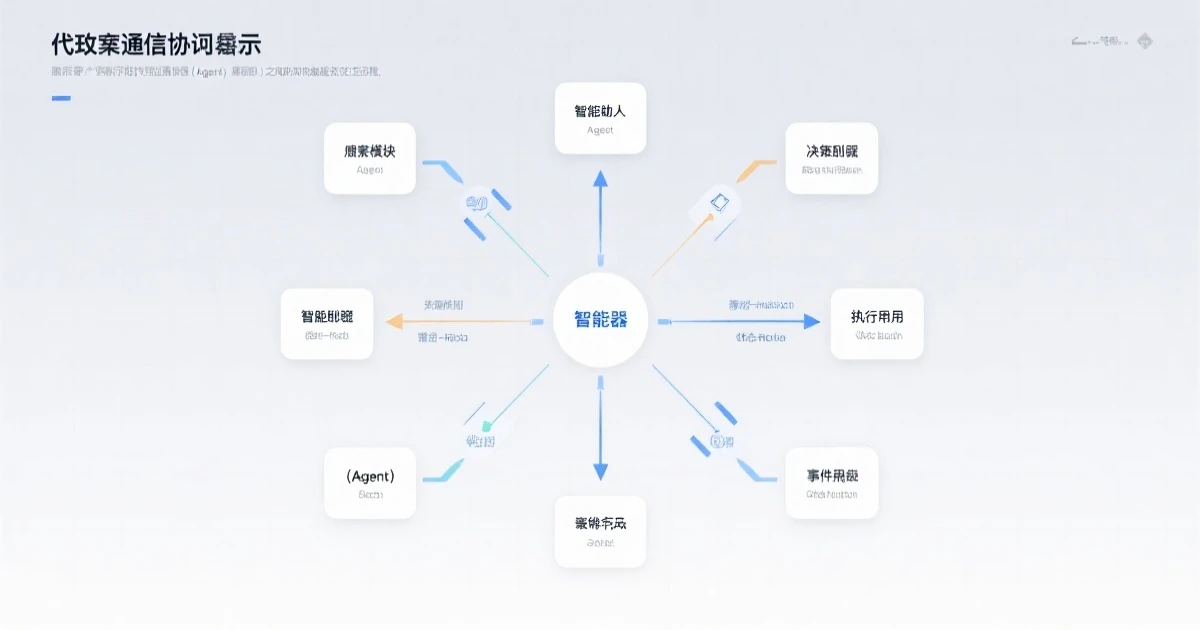
多工具协作的旅行规划助手
▸ 3.1 项目需求
构建一个命令行天气查询工具,用户输入城市名,AI自动调用天气API返回真实数据。
▸ 3.2 完整代码实现
import requests
import json
from openai import OpenAI
client = OpenAI(api_key="your-api-key")
tools = [
{
"type": "function",
"function": {
"name": "get_weather",
"description": "查询指定城市的天气信息",
"parameters": {
"type": "object",
"properties": {
"city": {
"type": "string",
"description": "城市名称,必须是中文,如'北京'、'上海'"
},
"date": {
"type": "string",
"description": "日期,格式YYYY-MM-DD"
}
},
"required": ["city"]
}
}
}
]
def get_weather(city, date=None):
"""
实际调用天气API
这里使用和风天气API作为示例
"""
api_key = "your-weather-api-key"
url = f"https://devapi.qweather.com/v7/weather/now"
params = {
"location": city,
"key": api_key
}
response = requests.get(url, params=params)
data = response.json()
if data["code"] == "200":
now = data["now"]
return {
"city": city,
"weather": now["text"],
"temp": now["temp"],
"wind": now["windDir"],
"humidity": now["humidity"]
}
return {"error": "获取天气失败"}
def chat_with_weather(user_message):
messages = [{"role": "user", "content": user_message}]
response = client.chat.completions.create(
model="gpt-4o",
messages=messages,
tools=tools,
tool_choice="auto"
)
# 获取AI响应
assistant_message = response.choices[0].message
# 检查是否需要调用工具
if assistant_message.tool_calls:
for tool_call in assistant_message.tool_calls:
function_name = tool_call.function.name
arguments = json.loads(tool_call.function.arguments)
print(f"🤖 AI决定调用工具: {function_name}")
print(f"📝 参数: {arguments}")
# 调用工具
if function_name == "get_weather":
result = get_weather(
city=arguments.get("city"),
date=arguments.get("date")
)
# 将工具结果返回给AI
messages.append(assistant_message)
messages.append({
"role": "tool",
"tool_call_id": tool_call.id,
"content": json.dumps(result)
})
# 再次调用获取最终回复
final_response = client.chat.completions.create(
model="gpt-4o",
messages=messages
)
return final_response.choices[0].message.content
return assistant_message.content
print(chat_with_weather("北京今天天气怎么样?"))
▸ 3.3 运行效果
🤖 AI决定调用工具: get_weather
📝 参数: {'city': '北京'}
根据查询结果,北京今天天气晴,温度18度,东风2级,湿度45%。
这样的天气非常适合户外活动!
▸ 3.4 关键代码解析
工具定义(必须掌握)
tools = [
{
"type": "function",
"function": {
"name": "get_weather",      # 函数名,AI调用时使用
"description": "...",        # 描述,帮助AI理解何时调用
"parameters": {              # 参数定义
"type": "object",
"properties": {...},      # 各参数的类型和说明
"required": ["city"]      # 必填参数
}
}
}
]
工具调用判断
if assistant_message.tool_calls:
# AI决定调用工具
for tool_call in assistant_message.tool_calls:
...
参数解析
arguments = json.loads(tool_call.function.arguments)🔹 四、实战二:构建多工具协作的旅行规划助手
▸ 4.1 项目需求
用户说:”帮我规划一下下周三去上海的3天行程”
这需要AI调用多个工具:
- 查天气(决定穿什么)
- 查机票(买航班)
- 查酒店(订住宿)
▸ 4.2 完整代码实现
import json
from openai import OpenAI
client = OpenAI(api_key="your-api-key")
tools = [
{
"type": "function",
"function": {
"name": "get_weather",
"description": "查询目的地天气,决定穿着和出行",
"parameters": {
"type": "object",
"properties": {
"city": {"type": "string", "description": "城市"},
"date": {"type": "string", "description": "日期 YYYY-MM-DD"}
},
"required": ["city"]
}
}
},
{
"type": "function",
"function": {
"name": "search_flights",
"description": "搜索航班信息",
"parameters": {
"type": "object",
"properties": {
"from_city": {"type": "string", "description": "出发城市"},
"to_city": {"type": "string", "description": "目的城市"},
"date": {"type": "string", "description": "出发日期 YYYY-MM-DD"}
},
"required": ["from_city", "to_city", "date"]
}
}
},
{
"type": "function",
"function": {
"name": "search_hotels",
"description": "搜索酒店",
"parameters": {
"type": "object",
"properties": {
"city": {"type": "string", "description": "城市"},
"check_in": {"type": "string", "description": "入住日期"},
"check_out": {"type": "string", "description": "退房日期"}
},
"required": ["city", "check_in", "check_out"]
}
}
}
]
def get_weather(city, date):
return {"city": city, "weather": "晴", "temp": "20-28°C"}
def search_flights(from_city, to_city, date):
return {
"flights": [
{"airline": "东航", "time": "08:00", "price": 680},
{"airline": "国航", "time": "10:30", "price": 720},
{"airline": "南航", "time": "14:00", "price": 650}
]
}
def search_hotels(city, check_in, check_out):
return {
"hotels": [
{"name": "上海外滩酒店", "price": 580, "rating": 4.8},
{"name": "上海中心酒店", "price": 420, "rating": 4.5}
]
}
def travel_planner(user_request):
messages = [{"role": "user", "content": user_request}]
# 第一次调用:AI分析任务,决定调用哪些工具
response = client.chat.completions.create(
model="gpt-4o",
messages=messages,
tools=tools,
tool_choice="auto"
)
assistant = response.choices[0].message
# 收集工具调用结果
tool_results = []
messages.append(assistant)
if assistant.tool_calls:
for call in assistant.tool_calls:
func_name = call.function.name
args = json.loads(call.function.arguments)
print(f"📞 调用工具: {func_name}")
print(f"📝 参数: {args}")
# 执行工具
if func_name == "get_weather":
result = get_weather(**args)
elif func_name == "search_flights":
result = search_flights(**args)
elif func_name == "search_hotels":
result = search_hotels(**args)
# 记录结果
messages.append({
"role": "tool",
"tool_call_id": call.id,
"content": json.dumps(result)
})
tool_results.append(result)
# 第二次调用:AI整合所有结果,给出最终建议
final_response = client.chat.completions.create(
model="gpt-4o",
messages=messages
)
return final_response.choices[0].message.content
print(travel_planner("帮我规划下周三去上海出差3天的行程"))
▸ 4.3 运行效果
📞 调用工具: search_flights
📝 参数: {'from_city': '北京', 'to_city': '上海', 'date': '2024-01-17'}
📞 调用工具: search_hotels
📝 参数: {'city': '上海', 'check_in': '2024-01-17', 'check_out': '2024-01-20'}
📞 调用工具: get_weather
📝 参数: {'city': '上海', 'date': '2024-01-17'}
根据查询结果,为您规划如下:
✈️ 航班推荐:
• 东航MU5137 08:00出发 680元
• 国航CA1832 10:30出发 720元
🏨 酒店推荐:
• 上海外滩酒店 580元/晚 评分4.8
• 上海中心酒店 420元/晚 评分4.5
🌤️ 天气预报:
上海1月17-20日晴朗,气温5-15°C,建议携带外套
需要我帮您预订吗?
▸ 4.4 多工具协作的核心技巧
1. 工具描述要精准
"description": "查询目的地天气,决定穿着和出行" # 明确用途vs
"description": "天气查询" # 太模糊,AI可能理解错误2. 参数定义要完整
"properties": {
"city": {"type": "string", "description": "城市名称"},
"date": {"type": "string", "description": "日期,格式YYYY-MM-DD"}  # 必须注明格式
}
3. 必填参数要明确
"required": ["city"] # 城市是必填的🔹 五、实战三:用Function Calling打造智能客服机器人
▸ 5.1 项目需求
构建一个能回答用户订单状态、物流信息、退换货政策的客服机器人,需要对接多个业务系统。
▸ 5.2 核心代码
import json
from openai import OpenAI
client = OpenAI(api_key="your-api-key")
tools = [
{
"type": "function",
"function": {
"name": "get_order_status",
"description": "查询用户订单状态和详情",
"parameters": {
"type": "object",
"properties": {
"order_id": {"type": "string", "description": "订单号"}
},
"required": ["order_id"]
}
}
},
{
"type": "function",
"function": {
"name": "get_delivery_info",
"description": "查询物流配送信息",
"parameters": {
"type": "object",
"properties": {
"tracking_number": {"type": "string", "description": "快递单号"}
},
"required": ["tracking_number"]
}
}
},
{
"type": "function",
"function": {
"name": "get_return_policy",
"description": "查询退换货政策",
"parameters": {
"type": "object",
"properties": {
"product_category": {"type": "string", "description": "商品品类"}
}
}
}
}
]
def get_order_status(order_id):
# 实际调用CRM系统
return {
"order_id": order_id,
"status": "配送中",
"amount": 299.00,
"items": ["商品A x1", "商品B x2"]
}
def get_delivery_info(tracking_number):
# 实际调用物流API
return {
"tracking": tracking_number,
"location": "上海分拨中心",
"status": "运输中",
"eta": "2024-01-18"
}
def get_return_policy(product_category):
policies = {
"服装": "7天无理由退换,定制商品除外",
"电器": "15天质量问题包退换",
"食品": "不支持退换,请谅解"
}
return {"policy": policies.get(product_category, "请联系客服确认")}
def customer_service_bot(user_message):
messages = [
{"role": "system", "content": "你是一个专业的客服助手,帮助用户查询订单、物流和退换货信息。"},
{"role": "user", "content": user_message}
]
response = client.chat.completions.create(
model="gpt-4o",
messages=messages,
tools=tools
)
assistant = response.choices[0].message
messages.append(assistant)
if assistant.tool_calls:
for call in assistant.tool_calls:
func_name = call.function.name
args = json.loads(call.function.arguments)
print(f"🔧 系统调用: {func_name}")
if func_name == "get_order_status":
result = get_order_status(**args)
elif func_name == "get_delivery_info":
result = get_delivery_info(**args)
elif func_name == "get_return_policy":
result = get_return_policy(**args)
messages.append({
"role": "tool",
"tool_call_id": call.id,
"content": json.dumps(result)
})
# 生成最终回复
final = client.chat.completions.create(
model="gpt-4o",
messages=messages
)
return final.choices[0].message.content
return assistant.content
print(customer_service_bot("我的订单DD20240115001到哪了?"))
print(customer_service_bot("衣服尺码不合适能退吗?"))
▸ 5.3 运行效果
🔧 系统调用: get_order_status
📝 参数: {'order_id': 'DD20240115001'}
🔧 系统调用: get_delivery_info
📝 参数: {'tracking_number': 'SF1089234567890'}
您好!您的订单DD20240115001当前状态是"配送中"。
📦 物流信息:
快递单号:SF1089234567890
当前位于:上海分拨中心
预计送达:2024-01-18
请注意查收哦!
🔧 系统调用: get_return_policy
📝 参数: {'product_category': '服装'}
关于退换货政策:服装类商品支持7天无理由退换(定制商品除外)。
如果尺码不合适,您可以申请换货或退货,请联系客服或直接在APP操作~
🔹 六、Function Calling的进阶技巧
▸ 6.1 强制调用特定工具
有时候你希望AI必须调用某个工具(而不是自己编答案):
response = client.chat.completions.create(
model="gpt-4o",
messages=messages,
tools=tools,
tool_choice={"type": "function", "function": {"name": "get_weather"}}
)
▸ 6.2 处理参数不完整的情况
当用户信息不全时,AI应该追问而不是乱猜:
{
"tool_calls": [{
"function": {
"name": "get_weather",
"arguments": "{\"city\": \"上海\"}"  # 缺少date
}
}]
}
def get_weather(city, date="today"):
# date默认为今天
...
▸ 6.3 处理工具执行失败
try:
result = get_weather(**args)
except APIError as e:
messages.append({
"role": "tool",
"tool_call_id": call.id,
"content": json.dumps({"error": f"API调用失败: {str(e)}"})
})
▸ 6.4 并行调用多个工具
对于独立的工具调用,可以并行执行:
from concurrent.futures import ThreadPoolExecutor
def execute_tool_call(call):
func_name = call.function.name
args = json.loads(call.function.arguments)
if func_name == "get_weather":
return get_weather(**args)
elif func_name == "search_hotels":
return search_hotels(**args)
# ...
with ThreadPoolExecutor() as executor:
results = list(executor.map(execute_tool_call, tool_calls))
🔹 七、常见问题与解决方案
▸ 问题一:AI不调用工具,自己编答案
原因:工具描述不够清晰,或者问题本身不需要调用工具。
解决:
- 优化工具的description,让AI更清楚何时调用
- 在system prompt中强调”必须使用工具查询信息,不要自己编造”
▸ 问题二:参数提取错误
原因:用户表达模糊,AI理解偏差。
解决:
- 参数定义中添加更多示例
- 设置参数校验逻辑,不合法参数要求AI重新提取
def get_weather(city, date):
if not is_valid_city(city):
return {"error": "城市名称不合法,请重新输入"}
if not is_valid_date(date):
return {"error": "日期格式错误,请使用YYYY-MM-DD"}
▸ 问题三:工具执行超时
解决:添加超时处理
import signal
def timeout_handler(signum, frame):
raise TimeoutError("API调用超时")
signal.signal(signal.SIGALRM, timeout_handler)
signal.alarm(10)  # 10秒超时
try:
result = get_weather(**args)
finally:
signal.alarm(0)  # 取消超时
🔹 八、总结与下期预告
▸ 本章知识点回顾
- 为什么需要Function Calling:让AI从”只说不做”进化到”能做实事”
- 核心原理:工具定义 → 意图识别 → 参数提取 → 执行调用 → 结果返回
- 实战技能:
– 单工具查询(天气助手)
– 多工具协作(旅行规划)
– 业务系统集成(智能客服)
- 进阶技巧:强制调用、参数校验、并行执行、错误处理
▸ Function Calling的能力边界
虽然Function Calling很强大,但它也有局限:
| 能力 | 说明 |
|---|---|
| —— | —— |
| ✅ 擅长 | 信息查询、操作执行、多系统协作 |
| ❌ 不擅长 | 主观判断、创意任务、实时变化极快的场景 |
▸ 下期预告
Day8我们将学习:批量自动化生产——如何用AI自动处理100+条数据、生成批量内容、构建自动化工作流。
参考资料:
- OpenAI Function Calling文档
- Anthropic Claude Tool Use指南
- 百度百科Function Calling词条
- Gartner AI Agent市场研究报告
关于作者:本文为AI进阶实战30天系列第7篇,全套教程覆盖从入门到高级的AI使用技能。
互动话题:你在使用Function Calling时遇到过什么难题?欢迎在评论区分享,我们一起探讨!
如果你觉得这篇文章有帮助,欢迎转发给正在学习AI的朋友。关注我,每天学习一个AI硬技能!